
I finally started my own blog, and I let AI build the whole thing
Everyone keeps saying you can build anything with AI now
So I couldn't resist and just started
First episode, so the first build is this blog itself
I didn't write a single line of code
Just talked, and leveled it up one step at a time

LV.1Laying the foundation
I want to make a blog. I want to write, edit and delete posts from an admin page
Before I build anything, a few questions. Who's going to read this blog?
I thought it would just start building, but it opened with questions
Who reads it, where it's hosted, even how it's going to make money
After answering for a while, it handed me a blueprint first
Pages (Next.js)
Post storage (Supabase)
Image storage
Login
Deploy (Vercel)
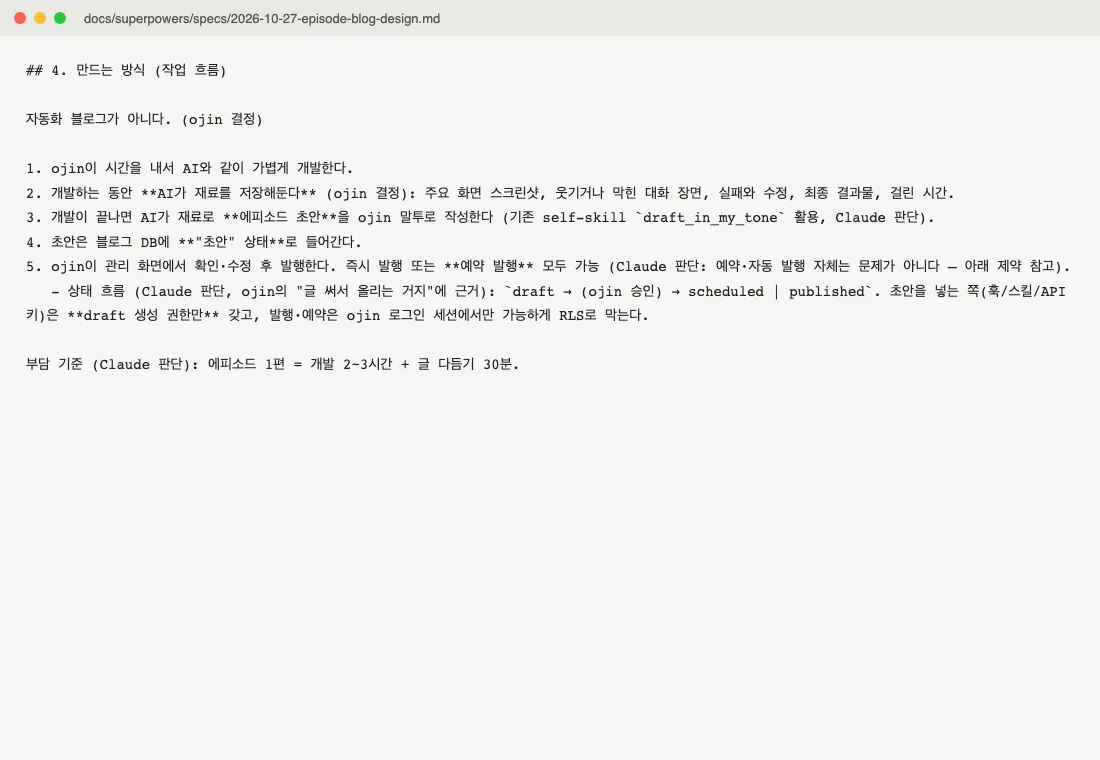
Way more thorough than I expected. Kind of caught me off guard
LV.2Admin panel
I really need an admin page where I can edit and delete stuff myself
I'll store posts in a database and add an admin page. Saving updates the site right away, so you don't have to redeploy every time

The post list filters by draft, scheduled, published and hidden
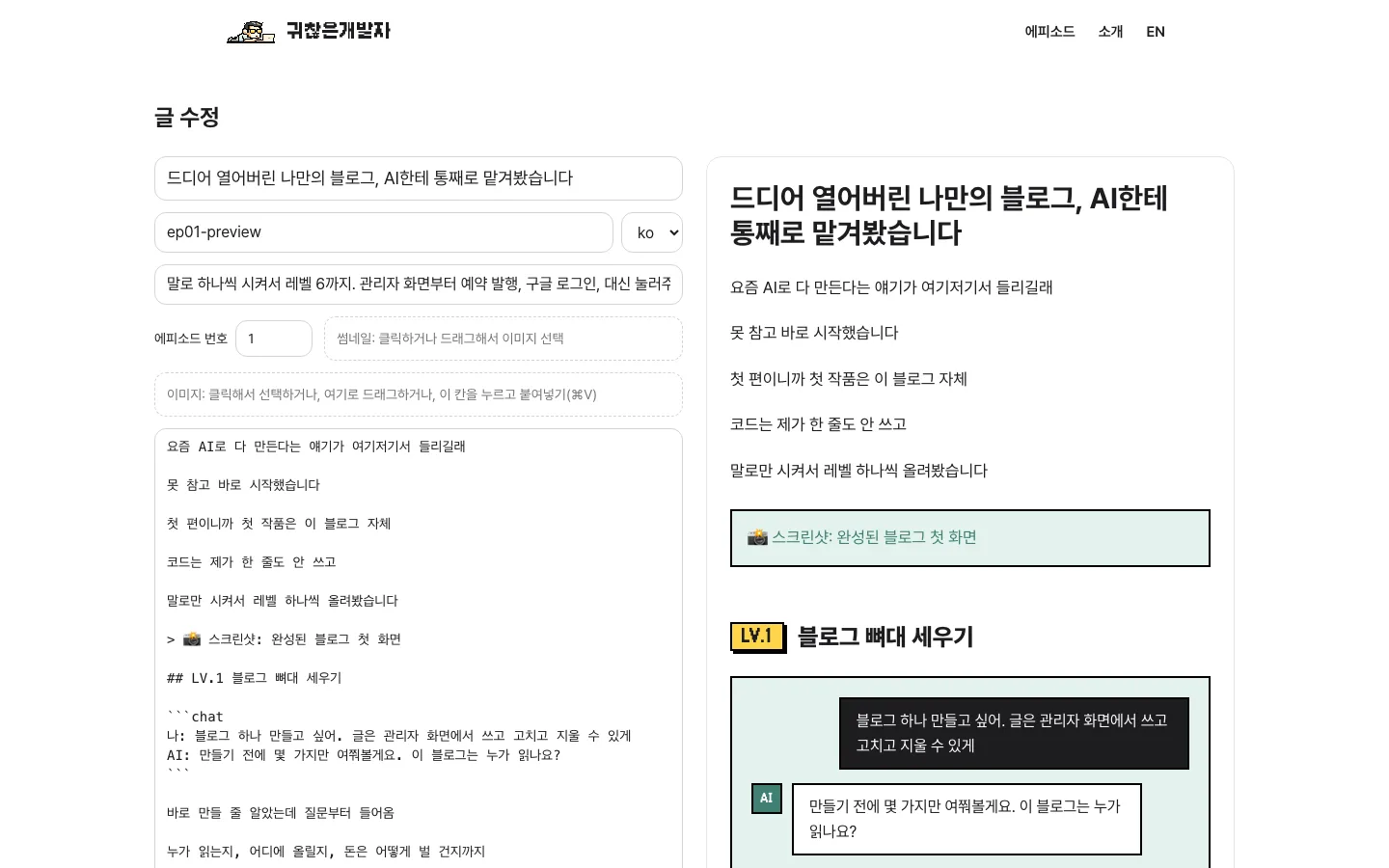
Type on the left, live preview on the right
Honestly, this is all I ever wanted
LV.3Paste to upload images
Let me just paste screenshots and have them upload
The server can't take really big images, so I'll shrink them in the browser first and then upload
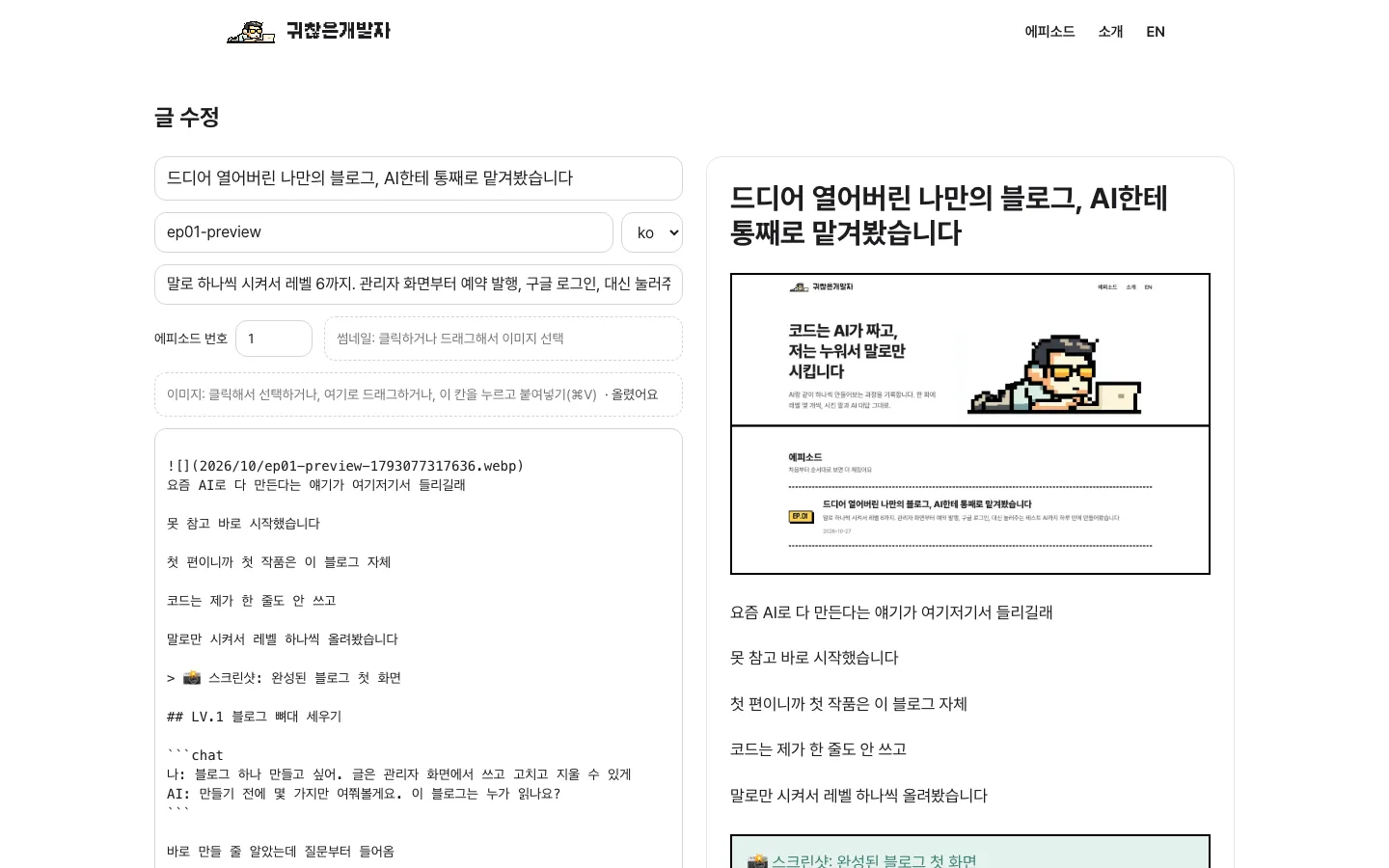
One ⌘V and the image line drops right into the post
GIFs upload and keep moving, too
LV.4Scheduled posts
If I pick a date, it should go live on its own at that time
I'll save scheduled posts as "published + a future time", so they only show up once that time passes

Pick a date and you're done
It shows times in Korea time, so no time zone math
LV.5Google login
Add Google login
I'll add a login button, and after you sign in it only ever sends you back to the admin page

No password to remember. Straight in with my Google account
LV.6An AI that clicks through tests for me
The more features piled up, the more the thought of clicking through everything by hand after every change was already getting on my nerves
Build me a test agent too. Before testing, write detailed scenarios first, then work through them
I'll write the scenario doc first, then make a test for each scenario that actually clicks through a real browser
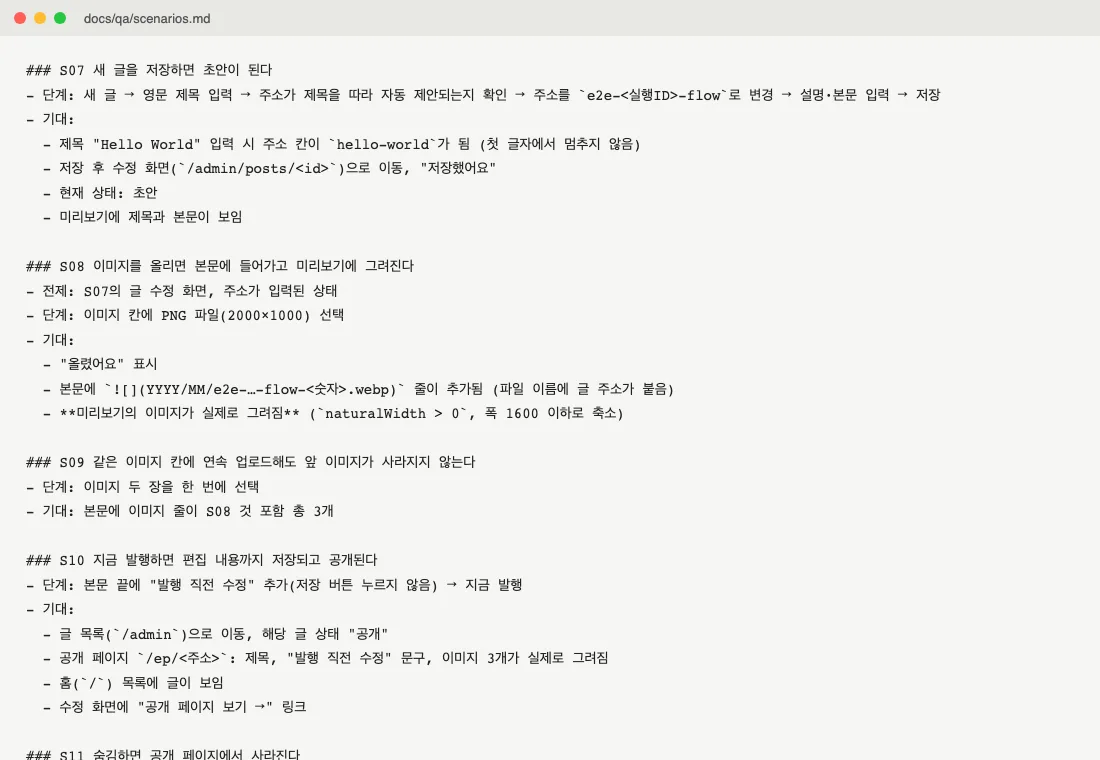
"Saving a new post makes it a draft"
"Uploading an image actually draws it in the preview"
"Scheduling for the future keeps it hidden until then"
It wrote 31 of these and clicks through them one by one, like a person would
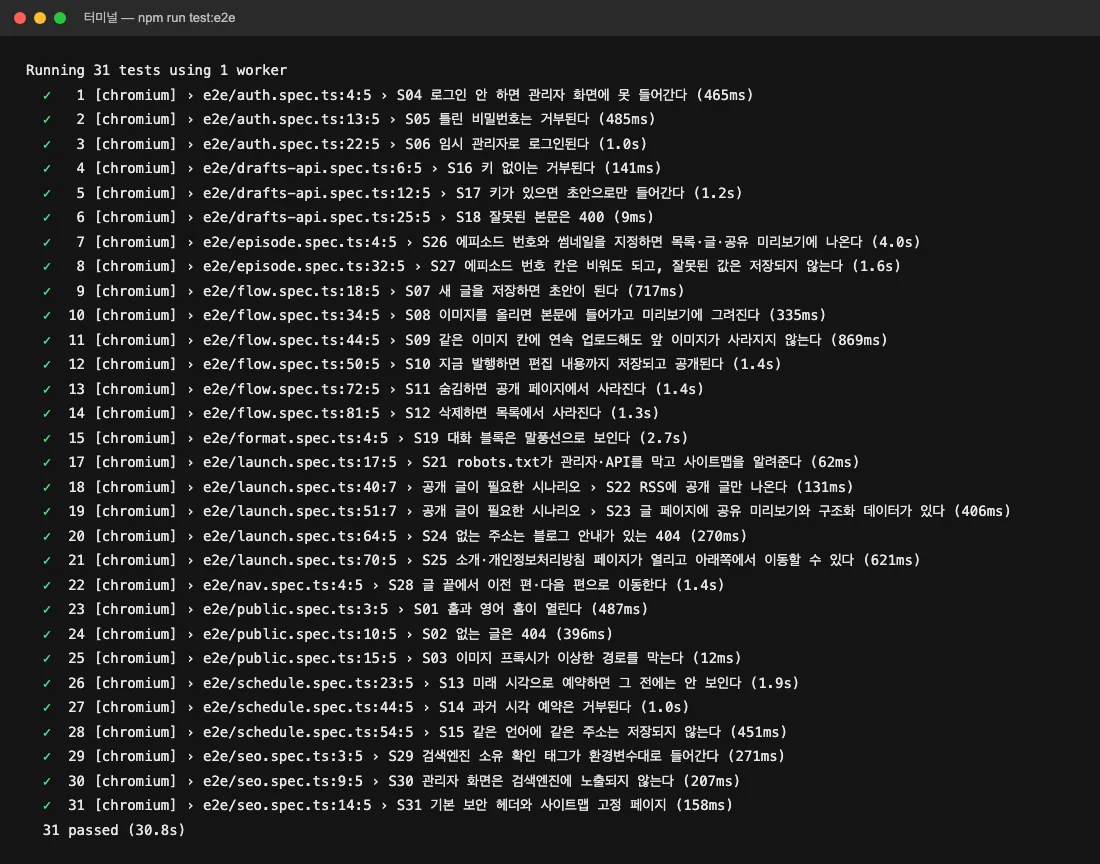
All 31 run in 30 seconds
I wanted to see if it really catches stuff, so I broke the image part on purpose
It flagged exactly that spot
Now every time I change something, I just hand it to this guy first
Today's result
Six levels in one day
All I really did was explain things out loud
A week by hand! A day with AI!