
Why loading bars get stuck at 99%
Game updates, app installs, file downloads. We've all stared down a loading bar stuck at 99%.
One percent left, and it just won't finish for over a minute. That 1% that makes you wonder whether to hit refresh.
Honestly? That number is mostly a guess. Here's why loading bars love to freeze at 99%, from the developer's side.
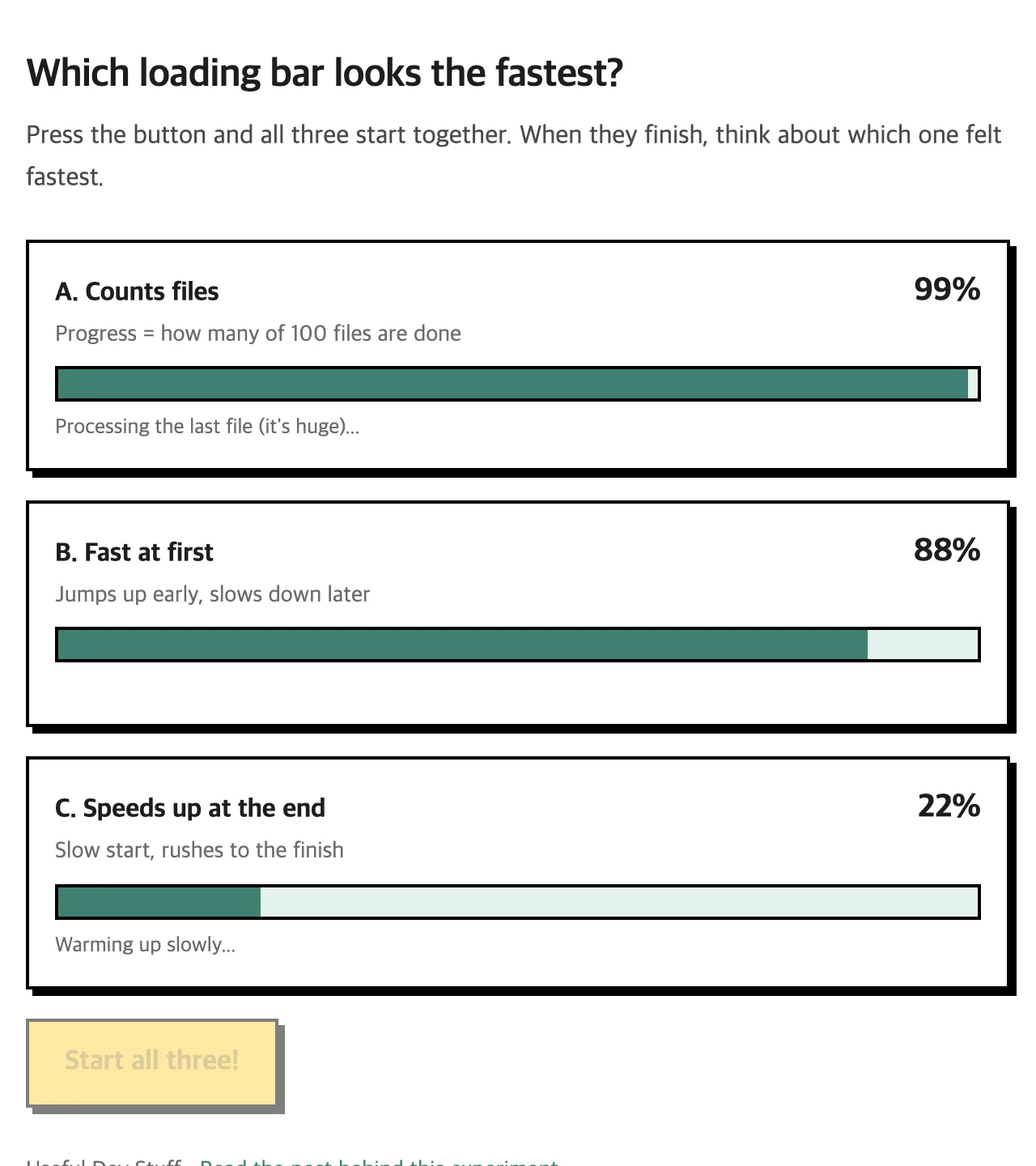
This is one moment, captured once. Top bar: 99%. Bottom bar: 22%. Yet all three finish at exactly the same time.
The program doesn't know how long is left
First, the uncomfortable truth. Most programs have no idea how much longer they'll take.
Your internet speed keeps changing, your computer is busy with other things, and every file is a different size. So a loading bar usually shows "how much work is done so far", not "how much time is left."
The real question is what it counts as "work."
Reason 1. Counting items lets the last one betray you
Picture moving house. You carried 99 boxes in no time, and the last item is the fridge.
Count by items and you're 99% done. In reality, the hard part is just starting.
Programs work the same way. They count "99 of 100 files done = 99%", and the last file is often the biggest one. A game update might be hundreds of tiny config files plus one giant graphics file.
Reason 2. The final steps can't really be measured
The download finishing doesn't mean the install is finished. There's almost always stuff left at the end:
Unpacking
Checking files aren't corrupted
Cleaning up old files
Saving settings
It's hard to say what "percent done" these steps are. So a common trick is to use 0–99% for the download and cram all the wrap-up work into the last 1%.
That 1% feels long because it actually is long.
Reason 3. 100% is saved on purpose
What if the app shows 100% and then throws an error? You'd be far more annoyed: "You said it was done!"
So many apps hold at 99% until they're sure everything really finished. Better to sit still than to lie.
Try it: which one is fastest?
It's easier to feel than to explain, so I built a small experiment. Press the button below and three loading bars start at the same time.
- A. Counts files: races to 99%, then sits there for ages
- B. Fast at first: jumps up early, slows down later
- C. Speeds up at the end: sluggish at first, rushes to the finish
The answer: all three take exactly 6 seconds. But A probably felt the most painful. B vs. C splits people. Side by side, B looks faster because it's always ahead.
There's research on this, too. When people watched loading bars one at a time, the ones that sped up toward the end felt faster, even with the same total time (Harrison et al., 2007). A good ending makes the whole wait feel better.
What modern apps do instead
- If they don't know the time left, they skip the number entirely. A spinner or "Just a moment" instead
- They show stages: "Downloading → Installing → Finishing up"
- They use slightly adjusted progress instead of the raw number, so it finishes with a satisfying rush
In the end, a loading bar is less a clock and more a "still alive" signal.
In one line
Stopping at 99% isn't a bug. The heaviest work is packed into that last 1%. Next time it freezes at 99%, think "ah, it's moving the fridge" and give it a moment.